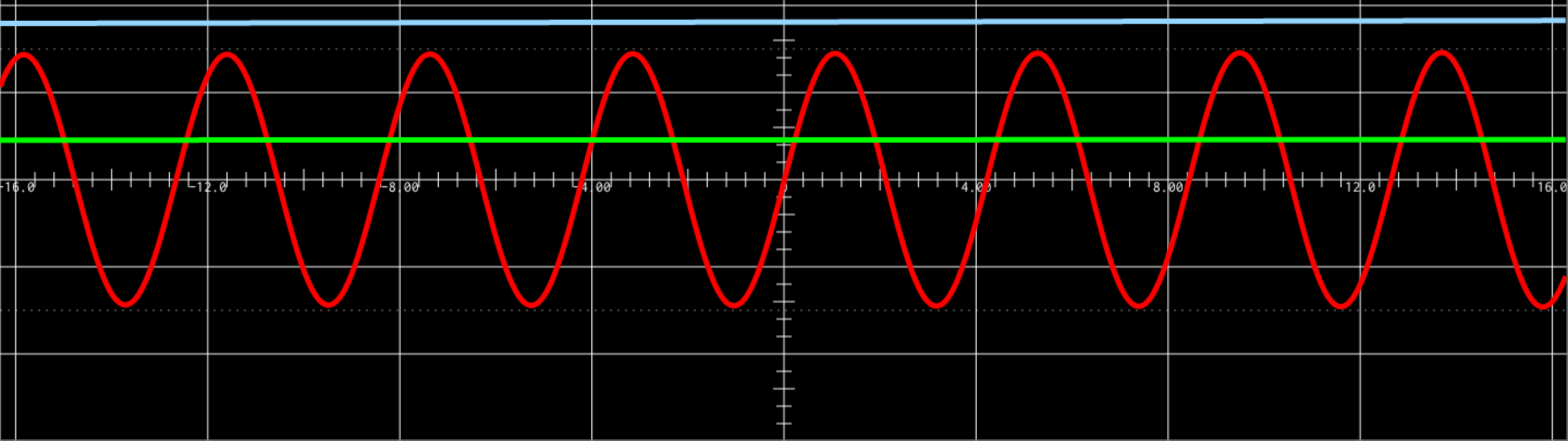
See audio, analog and digital signals in real time. Higher resolution and refresh rate than ever, with rolling mode, triggers, zoom and scaling.
Create with Bela
A workbench for bringing instruments to life
We make hardware for instruments design, but hardware is only half the story. What brings a project to life is how you program it. That’s why we’ve spent more than a decade refining our open source programming tools alongside the instrument makers, artists and educators who use them.
Every Bela system comes with the Bela IDE: a complete workspace for writing, running and debugging your projects, served straight from the board to your browser.
Plug in. Open a browser. Play. #
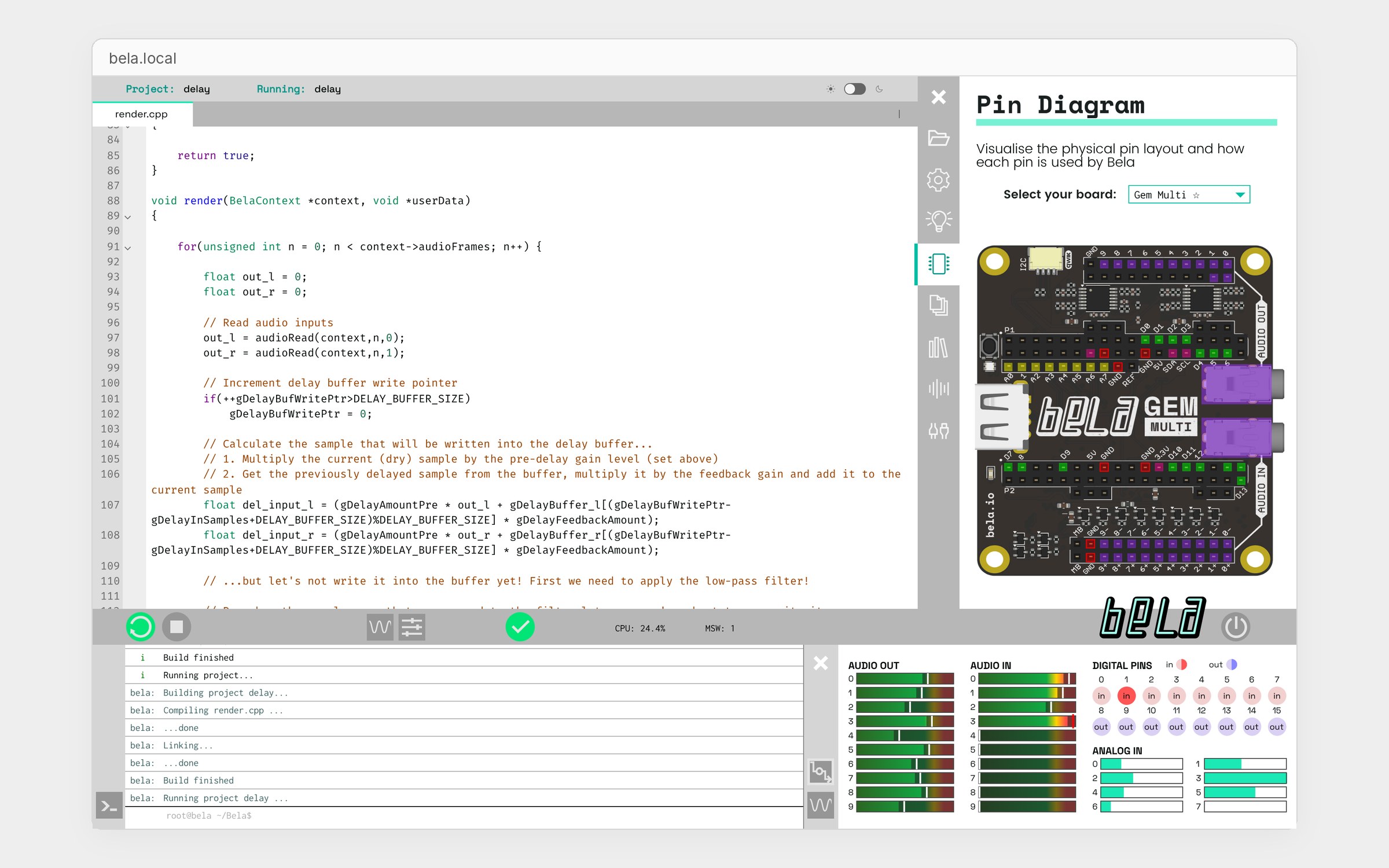
No installs, no drivers, no toolchain. Connect your Bela board over USB, go to bela.local and you are writing code that runs on the hardware. Hit run and hear it in seconds.
The IDE lives on the board, so it works without an internet connection. No cloud backend, no accounts, no data collection.
Easy to start. Built for engineers. #
The IDE is simple enough for a first workshop and deep enough for a product team. Inspect every signal without writing a line of code, and trust what you hear: sub-millisecond latency at up to 24-bit / 96 kHz.
Oscilloscope
Signal monitor and generator
Watch any input or output, inject test signals to debug a sensor, override analog and digital inputs from the IDE, log data and play it back.
Pin diagram and API docs
An interactive pin diagram for every connection on your board, built-in API documentation, help tooltips, autocompletion and clear compiler feedback.
Custom GUIs, fully scriptable
Build browser interfaces in p5.js that talk to your project in real time, like this XY picture of an FM synth's timbre from our workshop examples, with a button that sends back to the patch. Plus a full interactive terminal, a CPU monitor, and everything available from the command line, so builds and tests can be automated.
Code your way #
Write C++, patch in Pure Data, or work in SuperCollider, Csound, FAUST or Max RNBO, and build browser interfaces for your projects in p5.js. Coming from Arduino? Arduino code now runs on Bela systems too. Whatever you choose, you get ultra-low latency audio and all the connectivity of your board.
Hundreds of examples ship on every board and the library keeps growing. They cover synthesis, effects, sensors and interaction, and each one comes with documentation, a circuit diagram and tasks to try.



A course in every box #
Every Bela system ships with two complete master’s-level courses, with extensive teaching material online for learners at home and lecturers bringing embedded audio into their curriculum.
C++ Real-Time Audio Programming #
For engineering students on an EECS pathway, and anyone who wants to go deep. Audio callbacks, filters, oscillators, sequencers, effects and efficient embedded DSP, with a full video course online.
Physical Interaction Design with Pure Data #
For artists, designers and creative technologists on a new media pathway. Interaction design, sensors, sound synthesis and building physical interfaces. Start with our Pure Data tutorials.
Every example teaches the fundamentals of interactive audio programming while taking you through landmark moments in electronic music and instrument design. Each one has tasks with hints and solutions, plus circuit diagrams. Teaching a course? See Bela for education.
Practice tasks from the FM synthesis tutorial on learn.bela.io
Building with AI assistants #
The way we write code and make things with technology is changing quickly. Working alongside an AI coding assistant is becoming a normal part of how people create, and we welcome it.
We are in a good position to support it. For more than ten years everything we make has been open: the hardware designs, the core software, hundreds of examples, the documentation and years of answers on our forum. Openness has always been how we work, and it now means AI assistants already understand Bela systems well, and can read the source when they don’t.
The Bela IDE also keeps you in control of what the assistant writes. Run it on the hardware, listen to it, check it on the scope, and decide what stays. Whether you are vibe coding a first idea or working on a larger project, the same open foundations make AI-assisted coding on Bela systems work well.
Free with every Bela system #
The Bela IDE is part of the Bela software and comes with every Bela system. Connect over USB, boot up, and open bela.local in your browser.
Want the details? Read the Bela IDE guide on the Knowledge Base.